Windows software by One Bridge Technologies

Rental Proof — property condition evidence, organised.

Record entry, routine and exit inspections room by room, compare photos across dates and create clear, professional condition reports — all stored securely on your own computer.

  • Windows 10 or 11 (64-bit)
  • Full features for 14 days
  • Your data stays on your computer
Rental Proof dashboard showing property, inspection, photo and report totals with recent inspections and quick actions

Features

Everything you need to document a rental property

Built for Australian landlords, tenants and property managers who need clear, well-organised evidence of a property's condition over time.

Room-by-room inspections

Entry, routine, exit and custom inspections with condition, cleanliness and notes for every room.

Photo evidence

Import photos in bulk or drag and drop. Originals are copied, fingerprinted (SHA-256) and never altered.

Compare multiple dates

See the same room or item across two or more inspection dates side by side, in date order.

Professional reports

Branded inspection and comparison reports, exported to PDF and ready to print or share.

Calendar & reminders

Plan upcoming inspections and see your schedule at a glance.

Backup & restore

Validated backups of your records and photos, with a safety copy made before every restore.

Screenshots
See Rental Proof in action

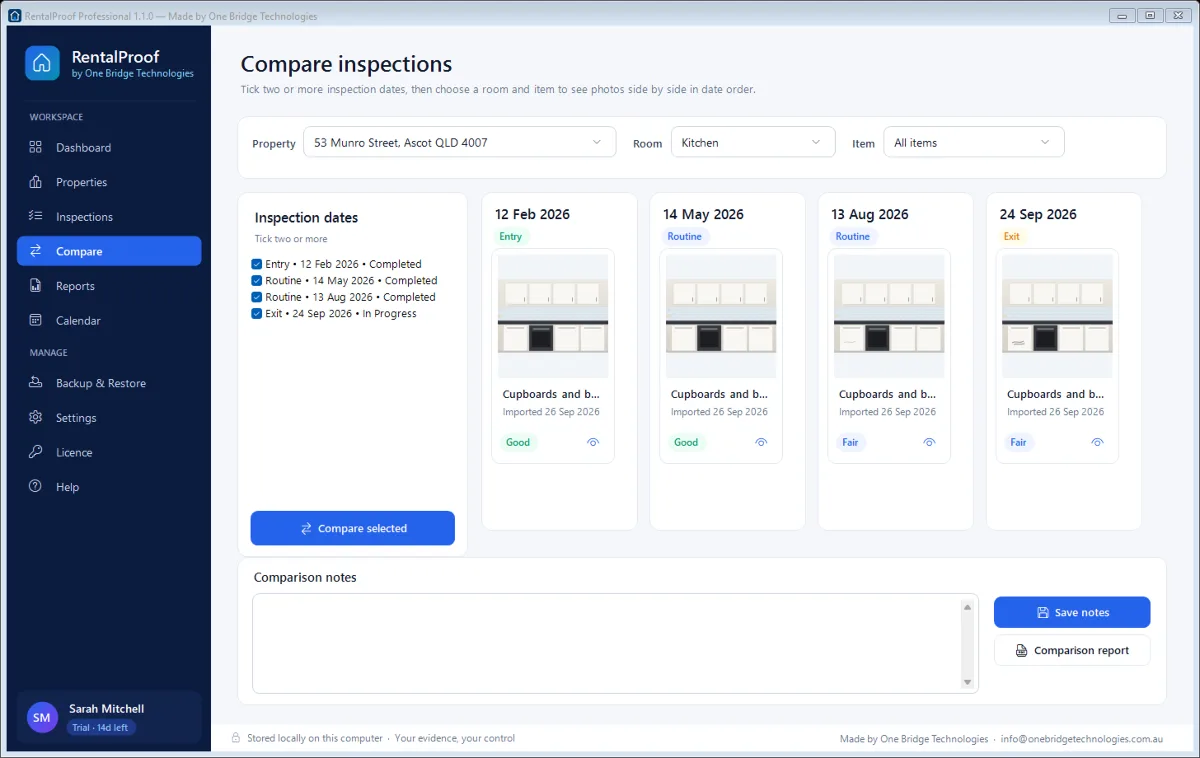
Compare screen showing kitchen cupboard photos from four inspection dates side by side, with a mark appearing in the later photos
Compare the same kitchen cupboards across four inspection dates — a scuff mark appears from August.
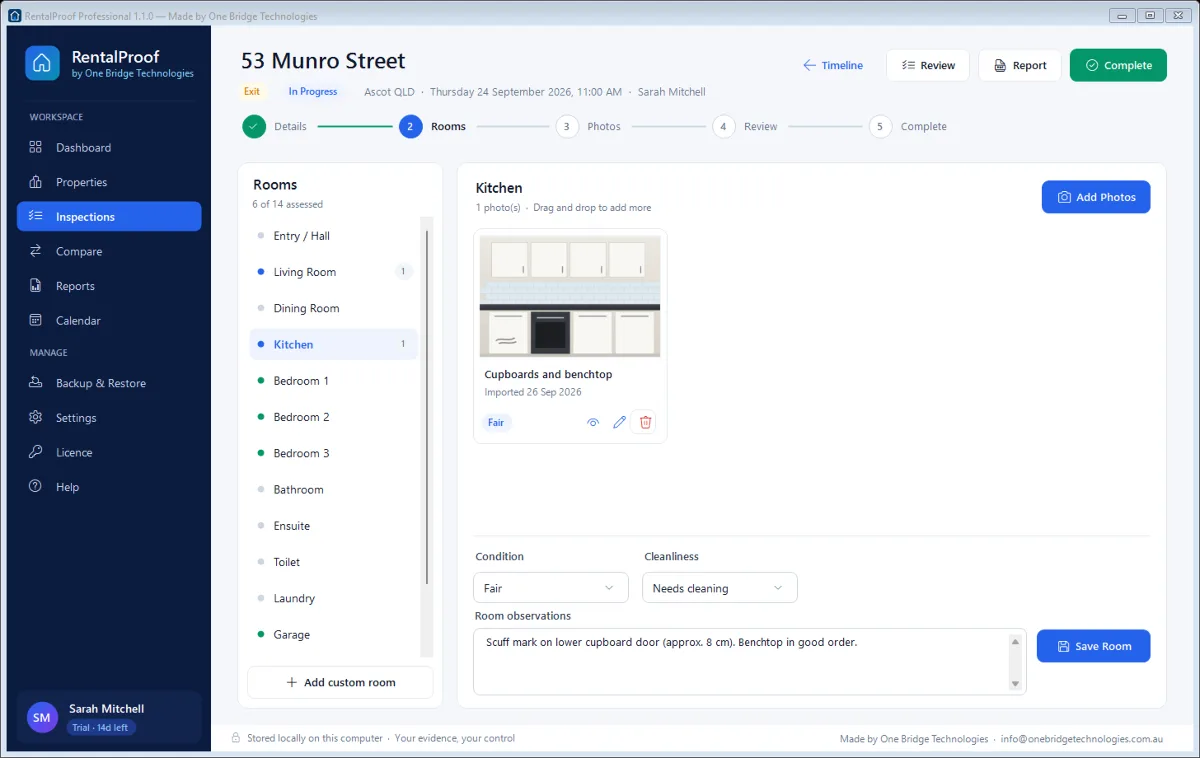
Inspection screen for 53 Munro Street with a room list, a kitchen photo and condition, cleanliness and observation fields
Work room by room: photos, condition, cleanliness and observations.
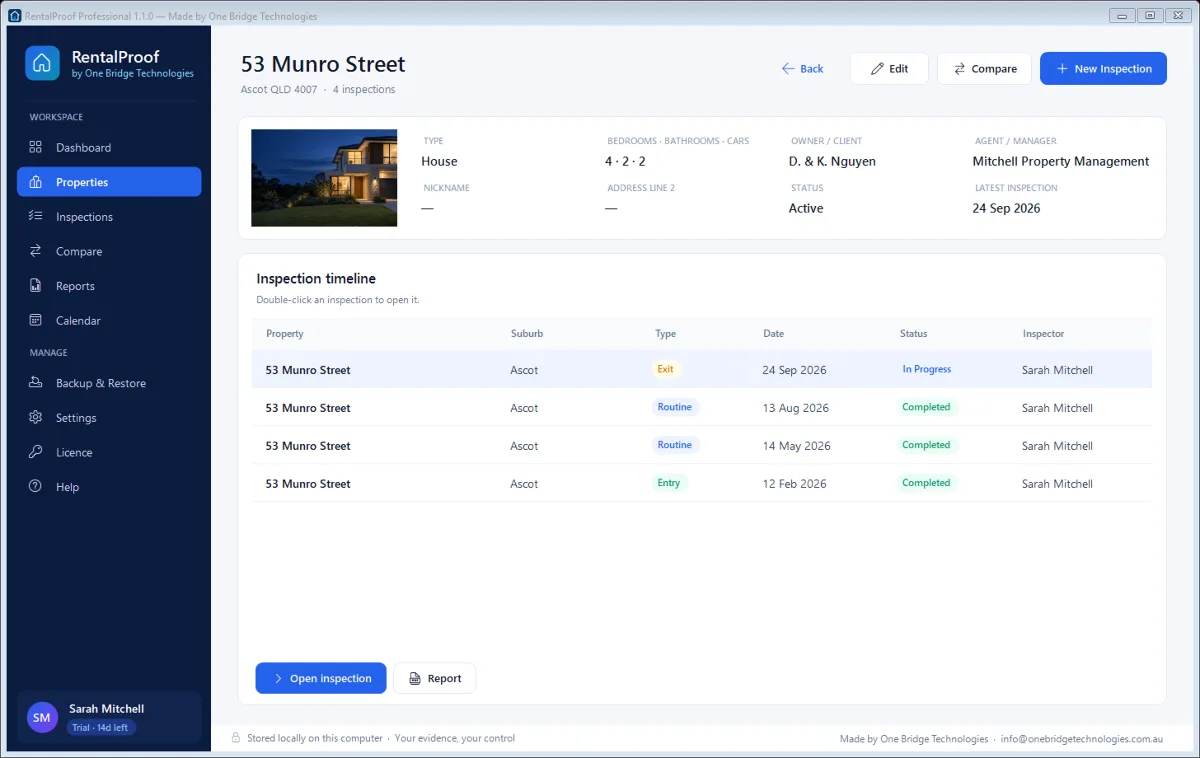
Property screen for 53 Munro Street showing the cover photo, property details and a timeline of entry, routine and exit inspections
Every property keeps its full inspection timeline.
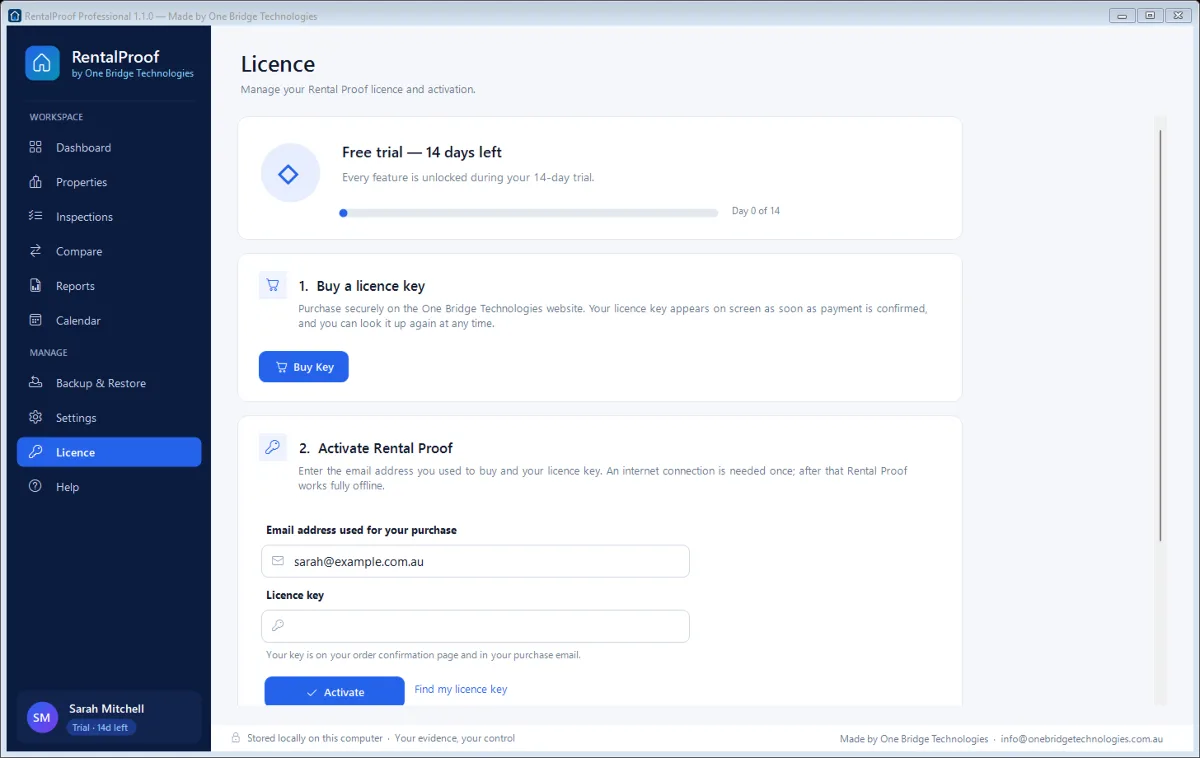
Licence screen showing the free trial progress, a Buy Key button and fields to activate a licence key
Try free for 14 days, then activate with your licence key.

Screenshots of Rental Proof 1.1.0 for Windows, shown with sample properties and illustrative photos.

How it works

Try it free, then activate in minutes

  1. Step 1: Download & install

    Download the installer below and run it. No account or payment needed.

  2. Step 2: Use it free for 14 days

    Every feature is unlocked during your trial. Your records are kept when it ends.

  3. Step 3: Buy a licence key

    When you're ready, click Buy Key in the software or on this page. Your key appears instantly.

  4. Step 4: Activate

    Enter your email and licence key in Rental Proof and click Activate. Done — no reinstall needed.

Free trial

Download Rental Proof

Install on Windows and use every feature free for 14 days. When the trial ends, Rental Proof asks you to register — your properties, inspections and photos are always kept.

Download installer (55.9 MB)
Version
1.1.0
File
RentalProof-Setup-1.1.0.exe
Size
55.9 MB
Requires
Windows 10 or 11 (64-bit)
SHA-256
219182e99bc2cbc9b4c84da170d247ac882fdad9138cadb0ac774595a98df1a7

Rental Proof Professional

$99 AUD

One-off payment · Australian dollars

  • Perpetual licence — no subscription
  • Activate on up to 2 computers
  • Licence key delivered instantly
  • Email support from One Bridge Technologies
Buy licence key

Already purchased? Find my licence key

FAQ

Questions about Rental Proof

Rental Proof shows a 'Please register your software' screen with a Buy Key button. Your records are never deleted — you can still open and view them, and editing is unlocked again as soon as you activate a licence.

Open Rental Proof, choose Licence (or 'Enter licence key' on the registration screen), type the email address you used to buy and your licence key, then click Activate. An internet connection is needed once to activate.

Use Find my licence key with your purchase email and order number, or email info@onebridgetechnologies.com.au.

Yes — each licence key can be activated on up to 2 computers. If you replace a computer, contact us and we'll move your licence.

No. Your inspections, photos and reports are stored locally on your computer. Internet is only used for activation.

No. Rental Proof organises evidence and produces reports. It does not determine legal responsibility, fair wear and tear or bond outcomes.

Rental Proof is made by One Bridge Technologies. Questions? Email info@onebridgetechnologies.com.au.